Welcome to this blog it contains learning articles for entry level persons. This may guide you for both Technical and Functional Consultants.
Check before you create a Batch serer, Batch Group, Workflow infrastructure configuration wizards
When you do the
configuration on batch server and Batch group you need to do the initial
process as below.,
1) Go to
System administration->Area page->Inquires->Batch jobs->Batch job
history
2) Select
all batch jobs history and clear the all data (Delete) (Alt + F9)
3) Then
go to System administration->Area page->Inquires->Batch jobs->Batch
job
4) Select
all batch jobs and clear the all data (Delete) (Alt + F9)
5) Then
finally go to System administration -> Area page ->
Setup->System->Server configuration
6) Ensure
all batch server groups are in selected groups in Selection list.
Default Order Setting became disable / Hided / Greyed out in AX
By using the DIMF I have uploaded the Items in AX 2012 R3.
After that I have checked the values one by one randomly, but unfortunately, I got
the issue which is that Default order setting form Purchase site, Inventory
site and Sales site is got greyed out.
Then I got the Job to update the Site values for all the
fields that full solution I have mentioned below., if any one wanted just
follow the steps carefully.
The Web site Server Name Default Web Site- MicrosoftDynamicsAXAif60 does not contain a bin directory in AX
When open the Enterprise Portal from System Administrator
>> Setup >> Enterprise portal >> Web sites I was getting some
error. That is “The Web site *Server Name* Default Web Site-
MicrosoftDynamicsAXAif60 does not contain a bin directory. Create and try
again.”
After research, I got the solution now I’m going to share
with you those solutions to you now.
System. OperationCanceledException AIF service group not activated in AX
1) System.OperationCanceledException AIF
service group not activated. Service
group FinancialDimensionServices. Error
Type
2) System.OperationCanceledException: AIF
service group not activated. Service
group: AxClient. Error: Type 'Dynamics.Ax.Application.BudgetDimensionValidationStatusContract'
cannot inherit from a type that is not marked with DataContractAttribute or
SerializableAttribute. Consider marking
the base type 'Dynamics.Ax.Application.DimensionValidationStatusProcessor' with
DataContractAttribute or SerializableAttribute, or removing them from the
derived type. --->
System.Runtime.Serialization.InvalidDataContractException: Type
'Dynamics.Ax.Application.BudgetDimensionValidationStatusContract' cannot
inherit from a type that is not marked with DataContractAttribute or
SerializableAttribute. Consider marking
the base type 'Dynamics.Ax.Application.DimensionValidationStatusProcessor' with
DataContractAttribute or SerializableAttribute, or removing them from the
derived type.
Go to System Admin
>> Setup >> Services and Application Integration Framework >>
Inbound Parts
Account number for transaction type does not exist in AX
Infolog appears with the error message, "Account
number for transaction type xxxxxxxx, yyyyyyyy does not exist."
xxxxxxxx → a transactional area (e.g. Sales order, Purchase
order, Inventory, etc.)
yyyyyyyy →
a specific transactional type (e.g. Packing slip, Purchase expenditure for
product, Issue, etc.)
e.g.
From AX:
|
|
From MES:
|
Cause(s):
c1.
The inventory posting
profile is not correctly configured.
See solution s1 [Correct the inventory posting
profile(s)]
c2.
The account structures that
apply to the entity's chart of accounts do not include the main account(s)
and/or financial dimensions into which the transaction is supposed to post.
See solution s2 [Correct the account structure(s)]
How to hide the Label ID in Menu Items / front-end in AX
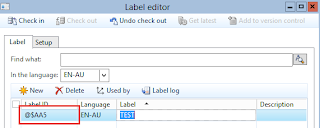
In AX Some of the menus is getting to show as LabelID solution is mentioned below.,

1) Stop the AOS Services
2) Go to C:\Program Files\Microsoft Dynamics
AX\60\Server\MSDynamicsAX\bin\Application\Appl\Standard
3) Delete only the ALD file, before that take backup files then do it.
4) Then Start the
AOS services
Now you can check the Menu Items in Front end.
Cannot delete a record in TaxDocumentTransitRelation (TaxDocumentTransitRelation) in AX
While making the Vendor Invoice I was struck with the below issue. Below is the clear explanation for you all.
Error Message: Cannot delete a record in TaxDocumentTransitRelation
(TaxDocumentTransitRelation). Deadlock, where one or more users have
simultaneyously locked whole table or part of it.
Replace the below code from existing one.
Assign or create Roles from AOT in AX
The purpose of create Roles is to
give permission to the particular person or a system. Because we can able to
assign the roles by the way of Departments and Employees so on that is based on
the company aspects. There is have multiple ways for creating the Roles in AX
2012. One of the method we can see it as following below.,
Create the Roles, Privileges, and
Duties in AX 2012 through AOT
a) Privileges
Go to AOT >> Security
>> Privileges
1)
Right click
and create the new Privilege for that report
2)
Select the
Entry Points for particular report
3)
Add the
Tables which is relevant to reports
The specified date interval overlaps the date interval of the formula version #### Tag with ##FG##
When I Approve or Activate the BOM I'm getting the below issue, then finally i got resolved it.
Go to the Particular line item and check the where-used. You
can find a new BOM and check with the same Item is mapped with the another BOM
ID.
You will find the same item is mapped with the another BOM.
Just remove the same item in the existing or another BOM. Add the new Item in
that same BOM.
Now you can Approve or Activate the BOM with out the error.
Be Happy....!
Subscribe to:
Comments (Atom)